Enforce: business decisions on each call
Your published rules are checked before each call goes out, with outcomes beyond allow and deny, including warn and escalate. The same rules apply to agents you build and agents you buy.
Agent Gateway
Beyond the gateway essentials, the VeriProof Agent Gateway brings what a production sign-off needs: business decisions on each call, exceptions escalated for human review, controls mapped to your frameworks, and evidence an auditor can check. It runs inside your network, for the agents you build and the agents you buy.
The business control plane for AI agents
Agent pilots stall when the people who answer for an agent can't approve it for real work. The gateway brings what that approval needs to the agents you build and the agents you buy.
The gateway essentials come included:
Your published rules are checked before each call goes out, with outcomes beyond allow and deny, including warn and escalate. The same rules apply to agents you build and agents you buy.
High-impact tool calls wait for human-in-the-loop review in Microsoft Teams, Slack, ServiceNow or the Customer Portal. Each reviewer's authority is confirmed before the decision is recorded.
Gateway decisions link to the controls they support in NIST AI RMF, ISO/IEC 42001, the EU AI Act and more. Gaps become remediation work, and approved reports go to Vanta, ServiceNow or ComplyAssistant.
Each application gets the evidence its risk calls for, in a sealed record that shows if anything changed. Every outcome names the system that reported it.
The gap is well documented. Deloitte found 11% of organizations running agentic AI in production while 38% were still piloting. In Gravitee's 2026 survey, 14.4% said all their agents went live with full security or IT approval. Gartner expects 40% of enterprises to demote or retire autonomous agents by 2027 over governance gaps.
The gateway is part of the VeriProof platform, so its reviews use VeriProof's human-in-the-loop (HITL) review in Microsoft Teams, Slack, ServiceNow or the Customer Portal.
The gateway stops the tool call before it reaches the system it would change.
An authorized reviewer sees the proposed call and the rule behind it, then approves or rejects it. VeriProof confirms the reviewer's authority before it records the decision.
After an approval, the gateway rechecks the approval and current policy, then sends the call. If the agent retries, the gateway recognizes the dispatch it already recorded and doesn't send it again.
The tool's result is recorded with the rule and the decision, credited to the system that reported it.
1 · The reviewer gets a direct message
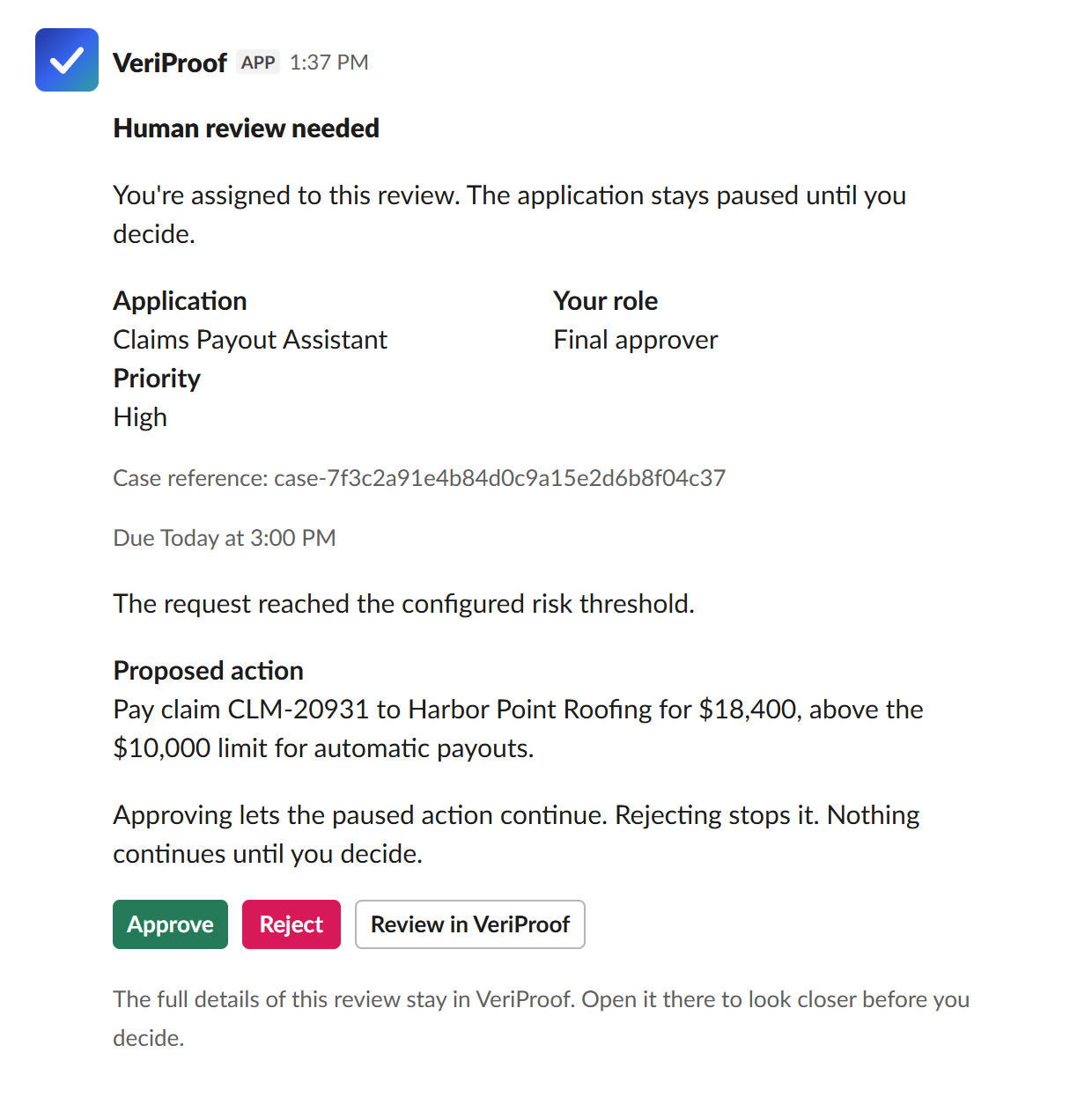
2 · They approve, and the same message updates
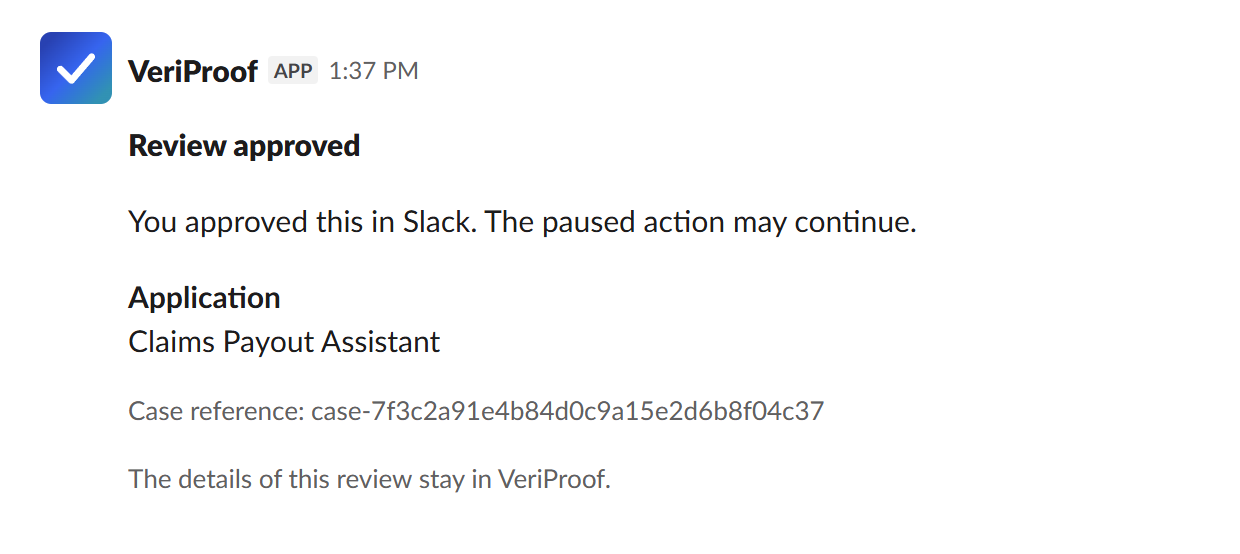
3 · VeriProof keeps the record
Decision recordedIn VeriProof
For example, an agent asks a grants system to release a $12,500 disbursement. A policy requires a reviewer, who decides from a Microsoft Teams card, and the grants system's confirmation is credited to it in the record.
Run the VeriProof Agent Gateway inside your private network, close to the agents and tools it protects. Use a compatible Linux host in your data center or in your own Microsoft Azure, AWS, or Google Cloud environment.
VeriProof platform
Your rules, HITL review in Teams, Slack, ServiceNow or the portal, and your evidence
Your networkData center, or your own Azure, AWS or Google Cloud environment
Your agents
Agent Gateway
Signed Linux container you run
Business systems
ERP, CRM or ticketing, over MCP
Other agents
Approved agent-to-agent handoffs
AI model providers
The model services you approve, outside your network
The release is a signed Linux container for x86-64 hosts. Install it with Docker Compose or Kubernetes on a server in your data center, an Azure Linux VM, an Amazon EC2 instance or a Google Compute Engine VM. To scale out, run more gateways behind your load balancer, each with its own journal.
The gateway connects to the VeriProof platform for your published rules, reviews and reporting, and to the providers and tools you approve. If that connection drops, routine checks continue on the rules the gateway already verified while they're current, and evidence waits on the gateway's own disk. Reviews wait for the connection to return.
For agents built with the VeriProof SDK. They ask the gateway beside them for policy decisions, so routine checks stay inside your network.
For any agent whose model, MCP or agent-to-agent traffic you can point at the gateway, including vendor agents you can't change. No SDK needed.
Both from one gateway, for teams running SDK agents beside proxied ones.
Point an agent's model and tool connections at the gateway, and each supported call is checked on its way out: model requests, MCP calls to the tools you approve, and handoffs on approved agent routes. When the business action lives in your own code, the VeriProof SDK checks it there. Each application has its own settings, and the gateway runs only the rules your team published.
Agents can authenticate with short-lived workload tokens while provider credentials stay on the gateway host. Set daily token and spending limits for each application and workload. The gateway reserves an allowance before a model request goes out and settles it on the usage the provider reports. Approve the exact MCP tools an application can call, and check model responses before the agent gets them.
When a rule calls for a person, the gateway holds the tool call before it runs and opens a review. Authorized reviewers decide in Microsoft Teams, Slack, ServiceNow or the Customer Portal. After an approval, the gateway checks the approval and current policy again before it sends the call. A rejected or expired request never reaches the tool. You can hold a tool's result or a model request for review, too.
Protected tool calls are recorded before they're sent, so when an agent retries one, the gateway recognizes the dispatch it already recorded. In our Linux restart test, the gateway stopped right after sending a call. After the restart it recognized the retry, and the tool saw a single call.
The supported model APIs, MCP profile and agent routes are listed in the gateway setup guide, which stays current with each release.
Your policy applies in all three modes. The mode sets how much evidence VeriProof records for each application.
Scroll horizontally to see all columns.
| Evidence mode | What VeriProof records | A good fit for |
|---|---|---|
| Policy only | Usage totals and reported model spend, with no per-request records | High-volume traffic you need to control and count |
| Capture on escalation | The reviewed action, the decision and the reported outcome for tool calls held for review | Approval workflows where routine calls stay light |
| Capture evidence | A record of each decision and session in the application's governed work | Work you'll investigate or audit, linked workflows, model output review and agent handoffs |
Captured evidence joins VeriProof's sealed record, and an integrity check shows whether anything in it changed after it was written. Each outcome names the system that reported it, so a reviewer can see which system reported each result and that VeriProof kept that report intact. Approved reports carry gateway evidence to Vanta, ServiceNow or ComplyAssistant. See how verification works.
Start with one gateway beside an application. As traffic grows, run more gateways behind your load balancer, each with its own journal, and keep related protected requests on the same gateway so it can recognize a retry and carry a review through.
The Customer Portal lists each gateway, the applications it serves and whether they're ready. Each application shows its recent gateway traffic, reported model usage and spend, and any refusals. Gateways also export metrics over OpenTelemetry.
If the connection to the VeriProof platform drops, routine checks continue on the policy the gateway already verified while it's current, and evidence waits on the gateway's own disk until it's delivered.
The gateway served eight applications, each running a three-call workflow against test providers: a policy check, a model request and an MCP tool call. The performance white paper covers tool calls with human review, resource use and sizing, with the method behind each figure.
No. Agents whose model, MCP or agent-to-agent traffic you can point at the gateway use its routes without the SDK, including vendor agents you can't change. Agents built with the SDK can also call the gateway's Edge API to check business actions inside their own code.
Yes. A gateway that can call an authorization hook before it forwards a request, such as agentgateway, can ask VeriProof for a decision on each route you register. Run the VeriProof Agent Gateway when you also want human-in-the-loop review, framework mapping and per-action evidence on model, MCP and agent-to-agent calls.
Routine checks continue on the policy the gateway already verified while that policy is current, and evidence waits on the gateway's own disk until it's delivered. Reviews, and calls that depend on earlier work the gateway can't confirm, wait for the connection to return.
The gateway setup guide lists the supported model APIs, the MCP profile and the agent routes for the current release.
Bring one agent and the rule that matters most to it. In a technical review, we'll work out where the gateway sits and which evidence mode fits, then walk one approval through.