Try the rule on real facts
A governance engineer tests a rule against representative facts and sees what it would return. Nothing is recorded yet.
Product tour
Your agents work in the demo. What stands between them and production is a set of people who need to trust them: risk, compliance, your developers, the reviewers who handle exceptions, and eventually an auditor. This tour shows what each of them gets, and why it works the same way for your first agent and your fortieth.
Enforce
Before your agent acts on anything that matters, it asks. VeriProof answers from the rules for that application with one of five outcomes: Allow, Warn, Transform, Escalate, or Deny. Your application acts on the answer and reports what happened.
The check works on API calls, tools, and browser actions. See how browser actions are checked.
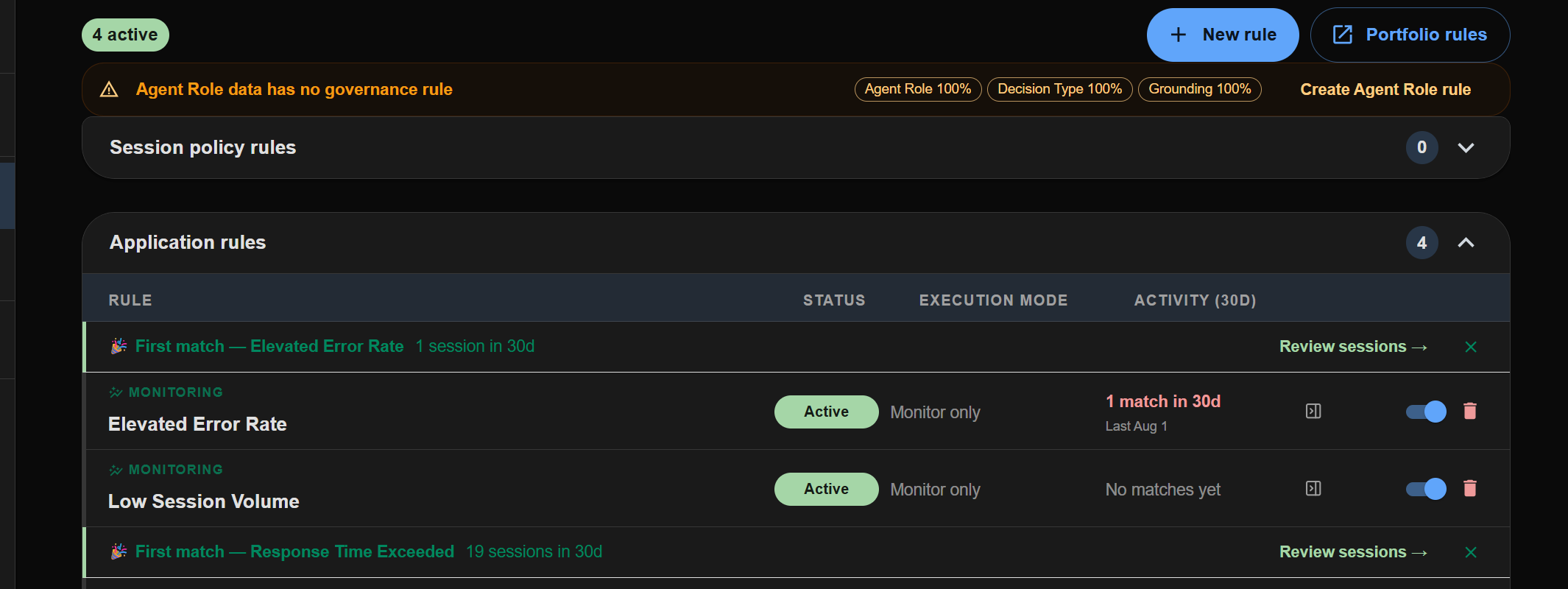
Letting an agent do more is a business decision. Write a rule, watch it in Shadow, then enforce it, and make the call with numbers instead of a leap of faith.
A governance engineer tests a rule against representative facts and sees what it would return. Nothing is recorded yet.
Shadow records what the rule would have decided on live traffic without changing what the agent does. You see how many more actions would have gone through on their own.
The change gets the approvals your organization requires, up to two people besides its author, and takes effect for the applications you choose. Production changes from engineers go to an administrator or compliance officer. Every decision keeps the rule version that produced it.
Coordinate
Six roles have a say in whether an agent stays in production: business owner, compliance officer, governance engineer, developer, auditor, and administrator. Each works in a portal built for that job. When something needs one of them, it reaches that person with the context and a due date, and the answer comes back.
An agent action needs a person
Reviewer with authority
A rule needs data the agent does not send
Developer
A governance engineer changes a rule for a production agent
Administrator or Compliance Officer
A control is not met
Assigned owner
A risk needs a business decision
Business Owner
An audit begins
Auditor
Exceptions arrive in the VeriProof Inbox, by email, or in Slack or Microsoft Teams, with reminders and escalation when they sit too long. In Slack or Teams, reviewers can decide routine ones right from the message. Nobody chases an approval through a side thread or a meeting, and the record shows who did what.
A payment limit needs a number. A drafted reply may need one sentence changed. Reviewers return an approval, a limit, a selection, or a permitted correction, with private notes kept separate, and the answer goes back into the workflow.
The reviewer sees which facts came from your systems and which came from the agent, and what is missing.
It goes to whoever holds the authority for that action: a named person, a role, or a group that claims it. Reminders follow if it waits.
The response belongs to the request that was reviewed. If the work changes underneath it, the approval no longer applies.
Comply
Pick the frameworks that apply, and the compliance portal shows, control by control, where recorded decisions already support them. Gaps show up too, with the applications they affect. It's one view across every connected agent, so compliance doesn't start over when you add one.

A gap becomes assigned work with an owner, a due date, and a priority. Mappings cover twelve regulations, standards, and protocols, including the EU AI Act, NIST AI RMF, ISO/IEC 42001, and HIPAA. See how records map to each framework
Prove
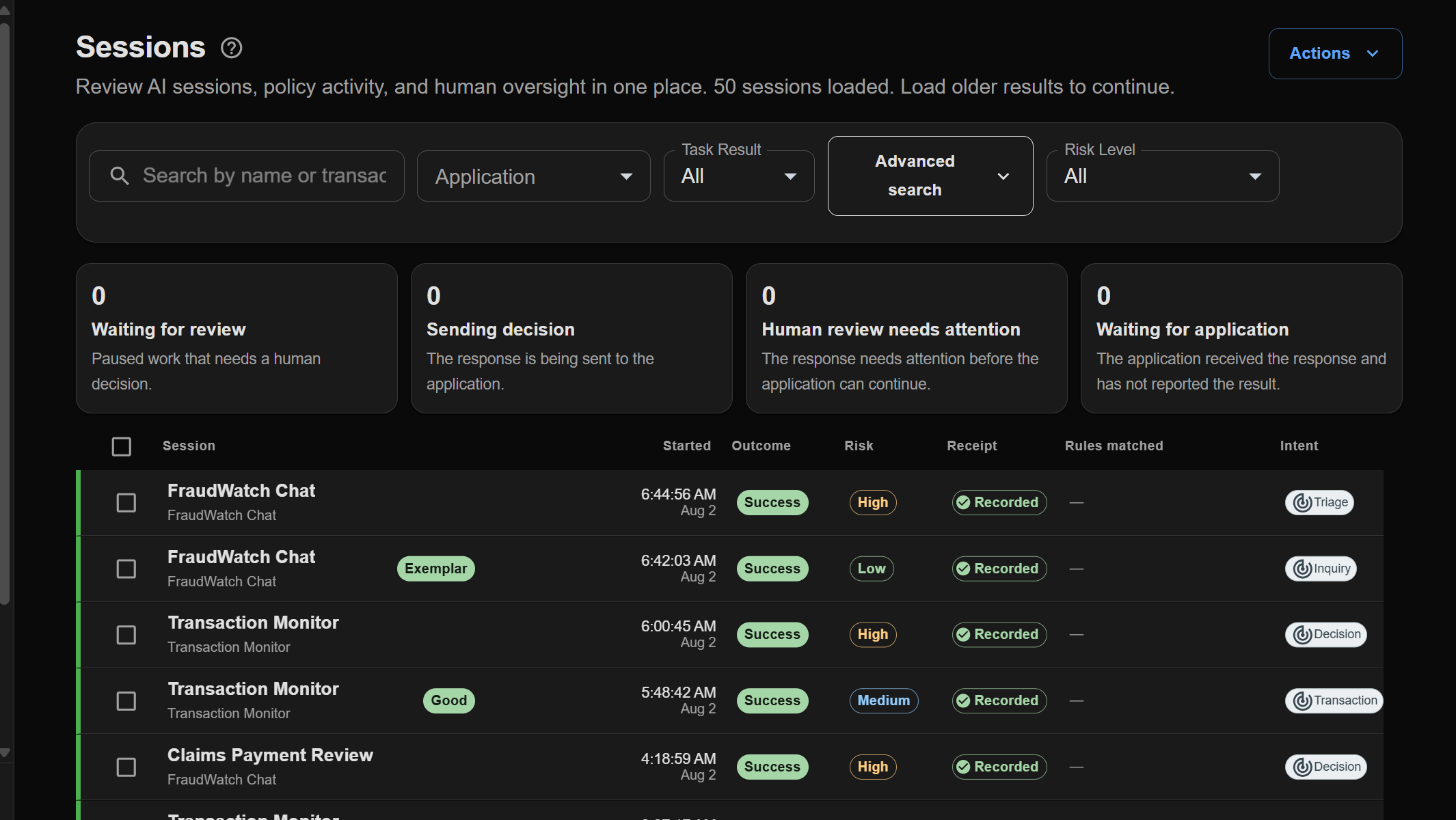
Each decision keeps the request, the rule that applied, any review, and the outcome your application reported. The business owner, compliance, and an auditor read the same record in their own terms.
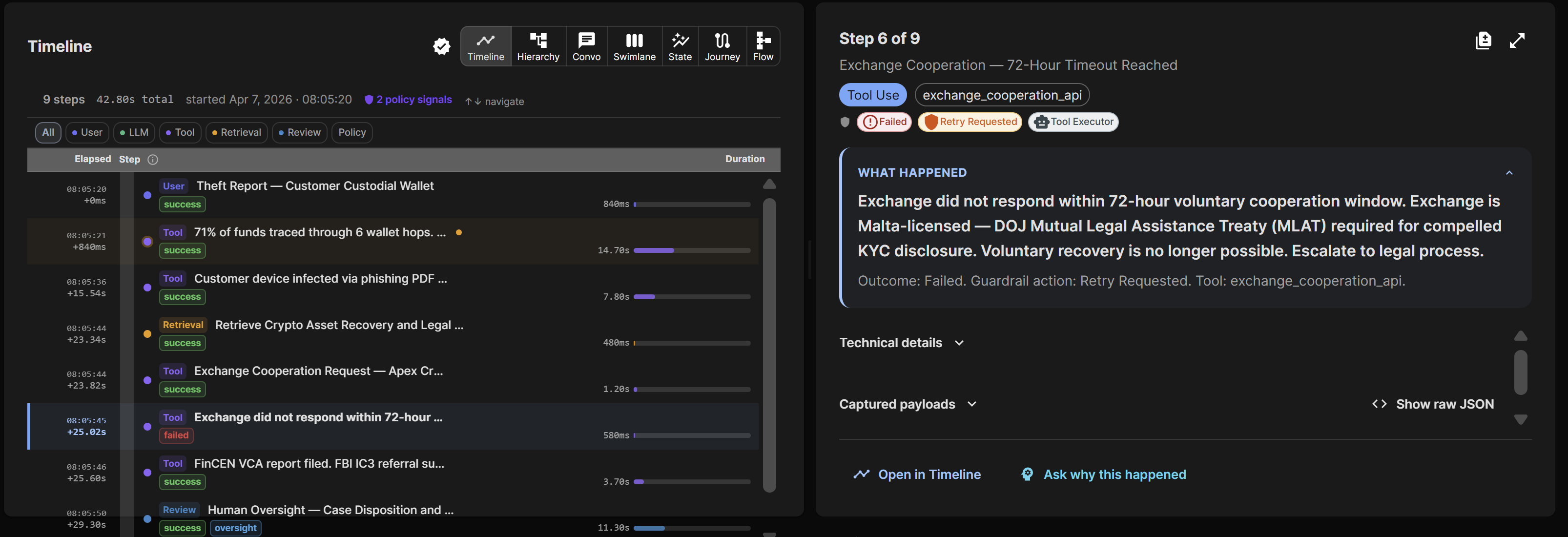
One decision can pass through an orchestrator, a specialist, and a tool. Shared trace identifiers keep their steps in order.
See how agents relate to each other, or compare their activity on one timeline.
Which decisions need a closer look? Follow policy matches from a trend to the evidence behind each result.
Has an exported record changed? A reviewer outside your organization can check it against Azure SQL Database Ledger or the Solana blockchain, quickly and independently. How record integrity works
Set alerts on confidence, oversight rate, guardrail results, and decision volume, so the owner hears when the agent starts behaving differently.
Follow each agent's health and business outcomes in the Business Owner portal, and open the records behind any change.
Send governance records to Splunk, or share OpenTelemetry traces with Langfuse so engineering and governance follow the same activity.
Work from the command line or an assistant
Automate setup and evidence tasks with the CLI. Through MCP, authorized agents can check policy, use tools that apply its decisions, and collect evidence.
The 1.0.0 package set includes six core SDKs and 35 Enforce adapters. An Enforce adapter plugs into an agent framework and stops the calls your rules do not allow. Tools and SDKs in the customer portal shows which packages are available in your environment.
Use a core SDK for application-owned work. Add an Enforce adapter only for the framework operations it controls. The SDK coverage guide lists every documented boundary.
Deployment choices
Use VeriProof-managed SaaS today. Private Enterprise is coming soon to Azure Marketplace for organizations that need VeriProof in their own Azure subscription.
Private Enterprise will run entirely in your own Azure subscription, completely separate from VeriProof SaaS: the platform, your data, and its integrity ledger (Azure SQL Database Ledger). Your team will own and operate it, using your identity, network, and model deployments.
VeriProof operates the platform and its supporting Azure services. Your plan includes managed AI analysis for your governance work.